
You should login to PCs using your private username supplied with your login, which is in this format:
Where NN is your initials and 1234 is a random number
Logging in:
1. Select Other user
2. Enter your private username in the username field (NN1234@itechealth.com.au)
3. Enter your password
4. Click all the affirmative options to get through the login screens
5. You'll be prompted to supply a phone number which verifies your account so follow those steps as prompted
6. You'll be prompted to setup a PIN to use to sign in to your device - follow those steps as prompted
Resetting your password:
As this is your first time logging in, you'll be prompted to reset your password once the above steps are complete
1. Click Ok on this alert when it pops up:
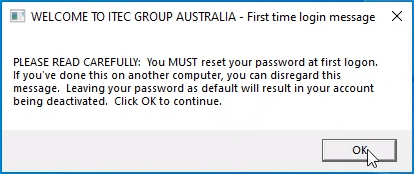
2. This will launch a browser window where you can reset you password (select Sign in to sync data first)
3. Follow the prompts to reset your password
The following video demonstrates these steps